
React Native Lessons: Should You Use Expo?

The open-source ecosystem is one of the best things about modern software development.
Instead of solving every problem from scratch, you search GitHub or Google and-boom-someone has already built a solution. Libraries, plugins, packages, components, and SDKs allow us to build software dramatically faster.
The downside?
If you're new to development, you're immediately faced with another problem:
Which one should you choose?
For almost every problem there are dozens of solutions. Some are excellent, some are abandoned, some are poorly maintained, and some introduce more problems than they solve.
So how do I usually decide?
My rule of thumb is simple:
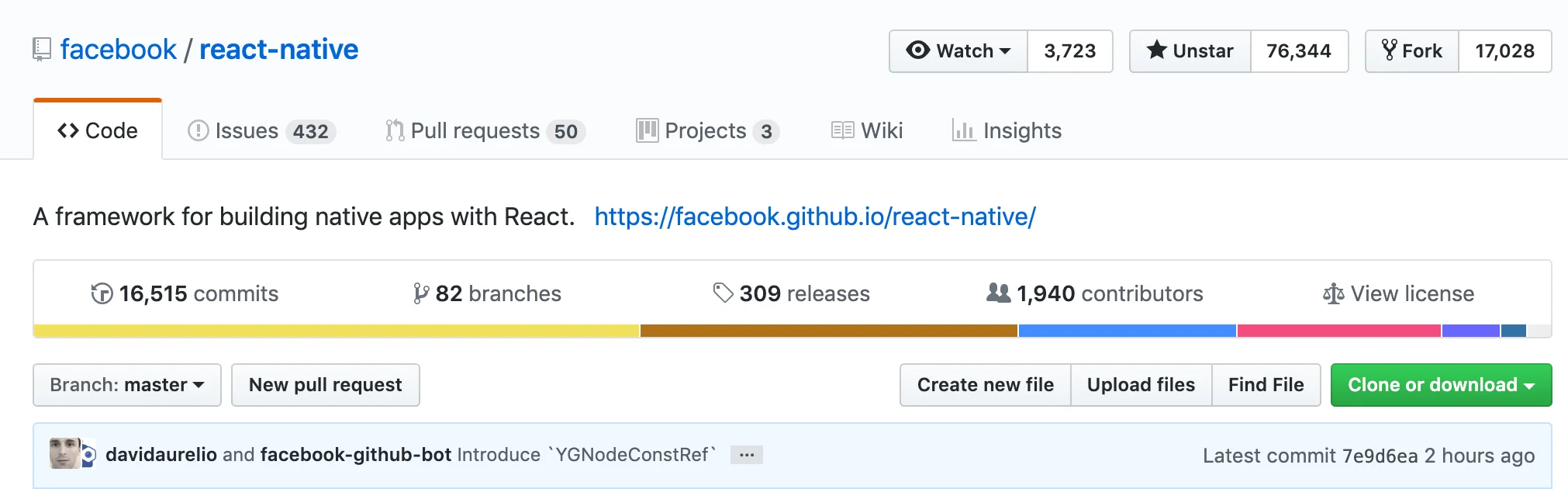
Go to GitHub and look for projects with a large community and recent activity.
Stars aren't everything, but they're a useful signal. I don't mind repositories with hundreds of open issues-as long as contributors are actively committing and releasing updates.
An active community means bugs get fixed.
A repository that hasn't been touched for two years deserves extra caution, especially in the React Native ecosystem where things evolve quickly.
Sometimes it's worth studying older projects for ideas, but not necessarily using them directly.
Over time you'll naturally develop a sense for which libraries are worth trusting.
That advice applies to open-source projects in general.
This article begins a series where I share the libraries and tools I've personally used while building React Native applications.
Everything here reflects my own experience. You may have different priorities or preferences, and that's perfectly fine.
My goal isn't to convince anyone that one technology is objectively better.
I simply hope to help beginners avoid spending days reading endless debates before they can start building.
So let's begin with one of the most common questions:
Should you use Expo?
When you're getting started with React Native, the official documentation presents two ways to create a new project.
Suppose your app is called MeoApp.
- Expo CLI
- React Native CLI
The documentation also gives a recommendation that's easy to overlook:
- If you're coming from web development, Expo provides a much smoother experience. You can build your first app without touching Xcode or Android Studio.
- If you already have native mobile development experience, React Native CLI may be a better fit, although you'll need to install the native toolchains first.
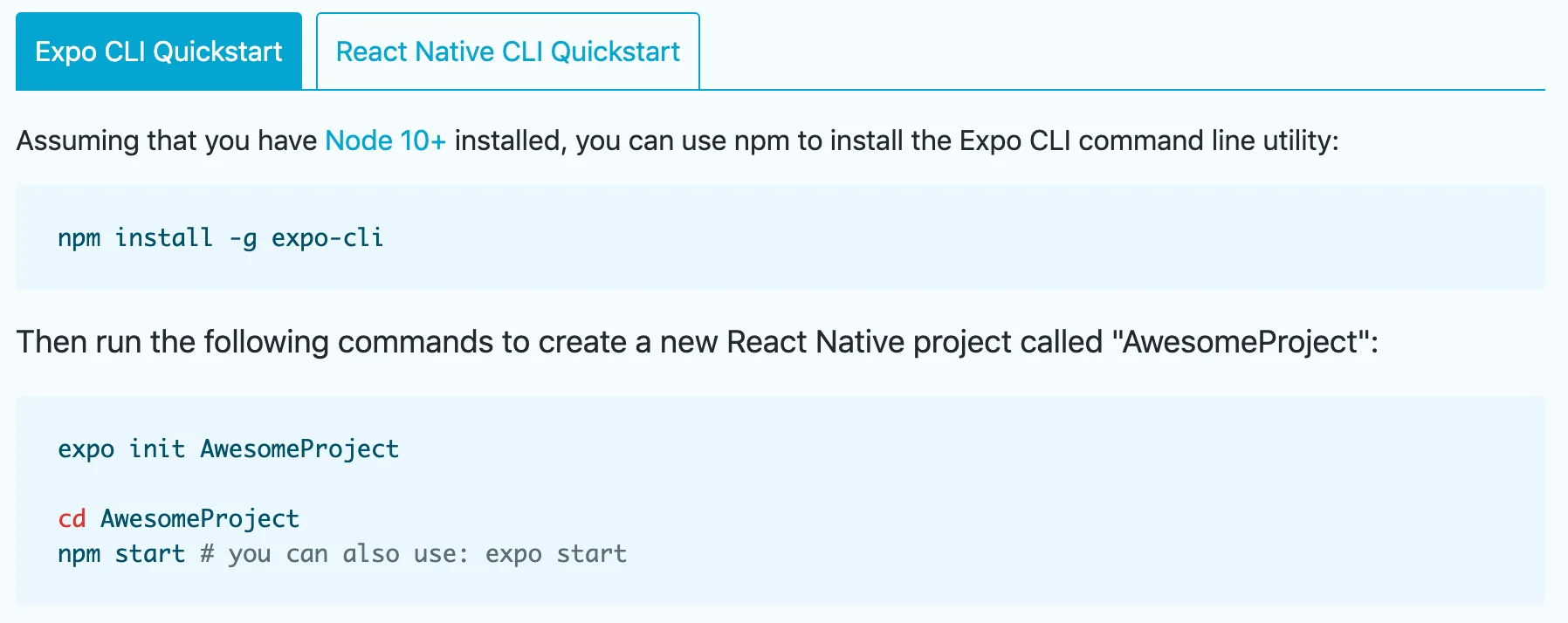
It's pretty obvious which option is friendlier for beginners.
And that's understandable.
The documentation naturally wants newcomers to succeed quickly.
What exactly is Expo?
You can think of Expo as a toolkit built on top of React Native.
It bundles React Native together with a large collection of commonly used native APIs.
Instead of writing native iOS or Android code yourself, you simply write JavaScript (or TypeScript), while Expo handles things like:
- Maps
- Barcode scanning
- OTA updates
- Camera access
- Push notifications
- Version upgrades
- Many other native integrations
In many cases you never need to open Xcode or Android Studio at all.
Your project doesn't even include the native iOS or Android source code.
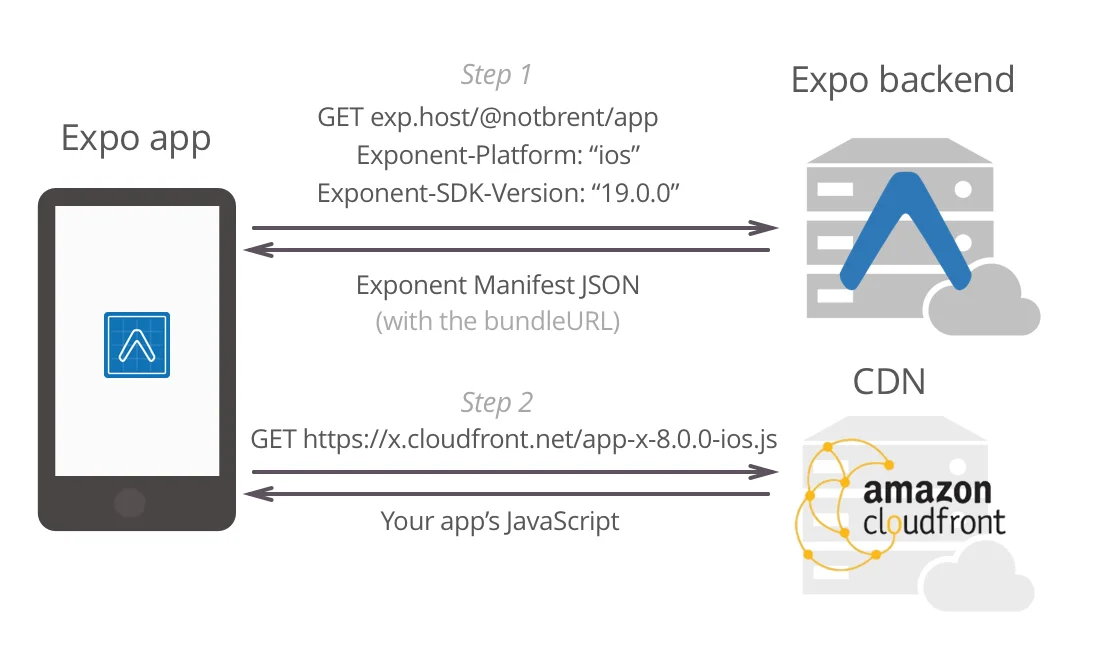
Conceptually, an Expo app works a little like this:
When the application launches during development, it downloads your latest JavaScript bundle from your local development server (or Expo's cloud for production updates). That JavaScript determines what native screens, components, and interactions should be displayed.
The UI is still rendered using native views, not HTML like a web application.
That's a major difference compared with frameworks such as Ionic.
Expo itself is also an open-source project maintained by a real company with dedicated engineers and long-term investment.
Its core SDK is released under the BSD license, meaning you're free to use it in commercial products.
The company generates revenue through optional cloud services rather than charging for the framework itself.
Pros
- Free, easy to install, and beginner-friendly.
- You spend far less time wrestling with obscure native configuration issues.
- Testing on physical devices is extremely fast through the Expo Go app without rebuilding native binaries every time.
- Cloud builds remove much of the burden from your local machine.
- Porting projects to Windows, macOS, or the web is considerably easier thanks to the broader Expo ecosystem.
- Useful services such as analytics, push notifications, over-the-air updates, deployment, and testing integrate with relatively little effort.
- Excellent documentation and a very active development team.
Ultimately, Expo's biggest strength is simple:
It handles almost all of the native complexity so you can focus on building your application.
Naturally, most of its weaknesses stem from that same design decision.
Cons
- You have limited access to native project files, making deep customization and quick native patches much harder.
- You're largely constrained by the native APIs that Expo supports. If your project requires a third-party native module that isn't supported, you'll either need to wait or eject from Expo.
- React Native upgrades depend on Expo's release schedule rather than the React Native team's timeline.
- Your JavaScript bundles are managed through Expo's infrastructure when using their update services, which may not fit every team's requirements.
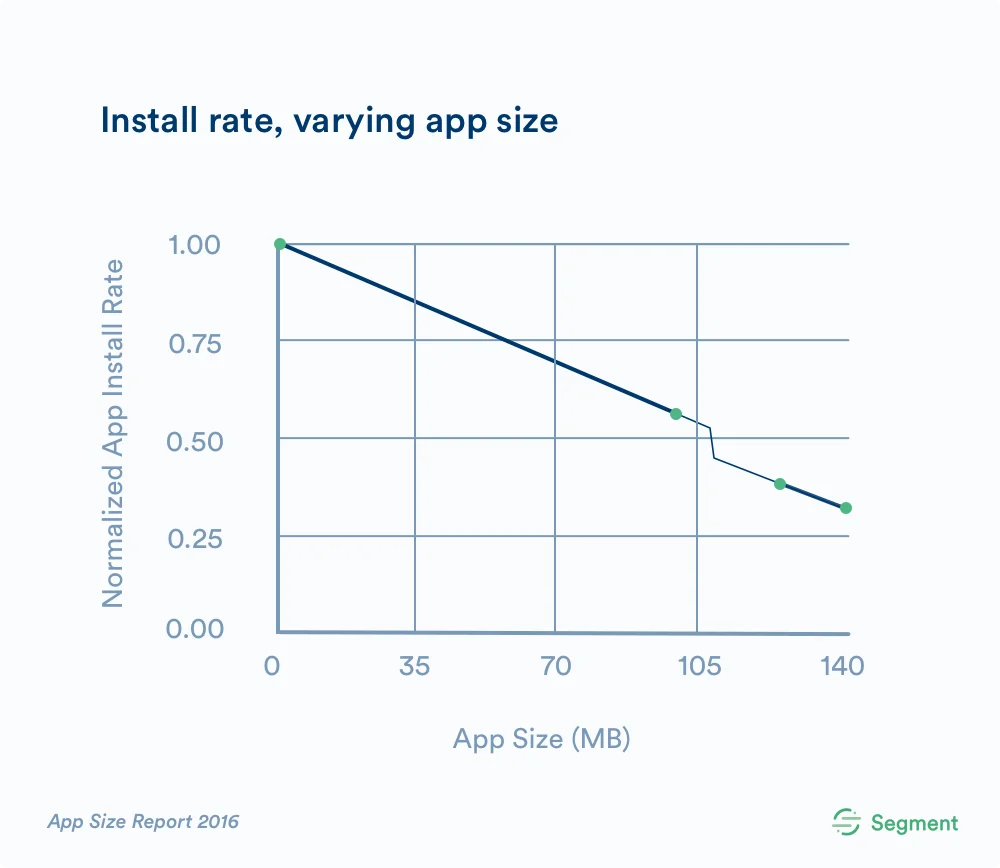
- Applications typically include additional runtime components, increasing the final app size. Historically, even simple apps could end up noticeably larger than equivalent vanilla React Native projects.
So... do I use Expo?
Yes.
And no.
I love Expo for rapid prototyping.
It's incredibly useful when I want to quickly test an idea, experiment with a library, reproduce a bug, or share a demo with someone else.
Being able to run an app almost instantly without dealing with native builds is a fantastic developer experience.
However, for production applications, my opinion has traditionally been different.
Personally, I haven't used Expo for large production projects because several trade-offs matter to me.
For larger apps:
- I know I'll eventually need native modules that Expo may not support, such as advanced navigation, background execution, audio playback, in-app purchases, or other platform-specific capabilities.
- I often want to optimize native performance, apply custom patches, or replace core components-things that are much easier in a vanilla React Native project.
For smaller apps:
- If I'm building something lightweight, like a barcode scanner, I prefer keeping the application as small as possible. Shipping a relatively large runtime for a simple app has never been particularly attractive to me.
My recommendation
Expo is an excellent choice if you are:
- Building a prototype or MVP.
- Working on a university project.
- Developing an internal business application.
- Coming from a JavaScript background with little native mobile experience.
- Optimizing for development speed over maximum flexibility.
On the other hand, if you're building production applications professionally, I generally recommend starting with vanilla React Native.
Understanding how the native platforms work gives you far more control over performance, debugging, and long-term maintenance.
Eventually you'll encounter platform-specific issues.
Knowing how the underlying system works is often more valuable than waiting for someone else to solve them for you.
One final note.
The React Native ecosystem moves incredibly fast.
Many of the trade-offs discussed in this article have changed over time.
React Native's tooling has become dramatically easier, with automatic linking reducing much of the native configuration work that used to be required.
Expo has also evolved significantly, introducing features such as Custom Development Clients, Config Plugins, and continuous improvements that narrow the gap between Expo and vanilla React Native.
That's one of the reasons I enjoy this ecosystem.
It's constantly getting better.
Related posts
- How to remove the GPS location from a photo before you share itPhone photos can carry the exact spot where they were taken. See whether yours does and download a clean copy without the location, right in your browser.
- How to make a contact QR code (vCard) for your business card, freeMake a vCard QR code in your browser: enter your name, phone, email and website, then print it on a business card so people save your contact with one scan.
- How to share your Wi-Fi with a QR code, without reading the password out loudMake a Wi-Fi QR code in your browser: enter the network name and password, pick the security type, then print it so guests join with one scan on iPhone or Android.