
 View on the Mac App Store
 Source code
Menu bar timer
See the active session without keeping the app window open.

TimeMate
Run focused work sessions, short breaks, and long breaks without keeping another window open.
Available on the Mac App Store.
App preview

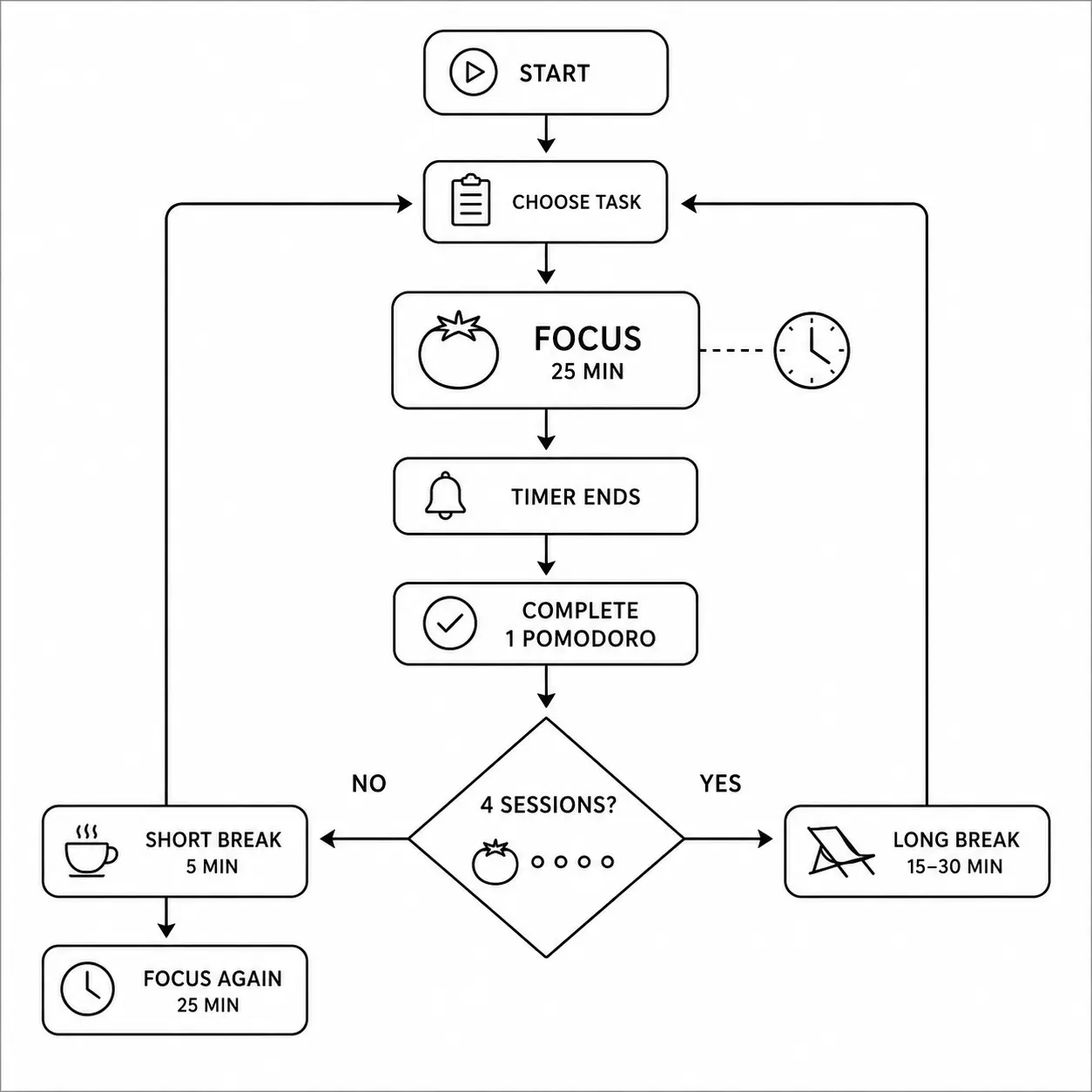
Pomodoro cycle
TimeMate follows a simple sequence of focus sessions and breaks. Default sessions use the common 25-minute focus, 5-minute short break, and 15-minute long break pattern.
The settings needed to adapt the timer to your day.
See the active session without keeping the app window open.
Move between focus, short-break, and long-break sessions.
Set work and break lengths that match your routine.
Choose whether the next work or break session starts automatically.
Receive a notification when the current timer finishes.
Use the application interface in either supported language.
Download the app, inspect the source, or report a problem on GitHub.
Small, native menu bar and desktop apps from the same maker.
 MountMateA native macOS menu bar app for mounting and unmounting external drives in one click.View app
 PhotoMateA private, local-first Mac app for discovering and cleaning duplicate and low-quality photos.View app
 MarkdownMateA lightweight, local-first Markdown note-taking and writing app for macOS.View app