MountMate β Manage External Drives from your Mac Menu Bar
Source Code | Report an Issue | Support this project
MountMate is a utility for macOS users who need to manage their external drives efficiently. It provides a quick and accessible way to mount and unmount storage devices without opening Disk Utility or using the command line.
What is MountMate?
MountMate is a native macOS application that resides in the menu bar. It allows you to control your connected external drives with a single click, helping you manage your hardware and system performance more effectively.
Why I Built It
As a Mac user with an external 4TB HDD connected 24/7, I found that macOS would frequently spin up the drive for background tasks. This caused unnecessary noise, system lag, and mechanical wear on the drive.
After searching for a solution, I found that existing tools were either overly technical (shell scripts), slow to use (Disk Utility), or contained more features than I needed. I built MountMate as a simple, native utility to solve this specific problem.
Core Features
- Quick Control: Mount and unmount any external drive directly from the menu bar.
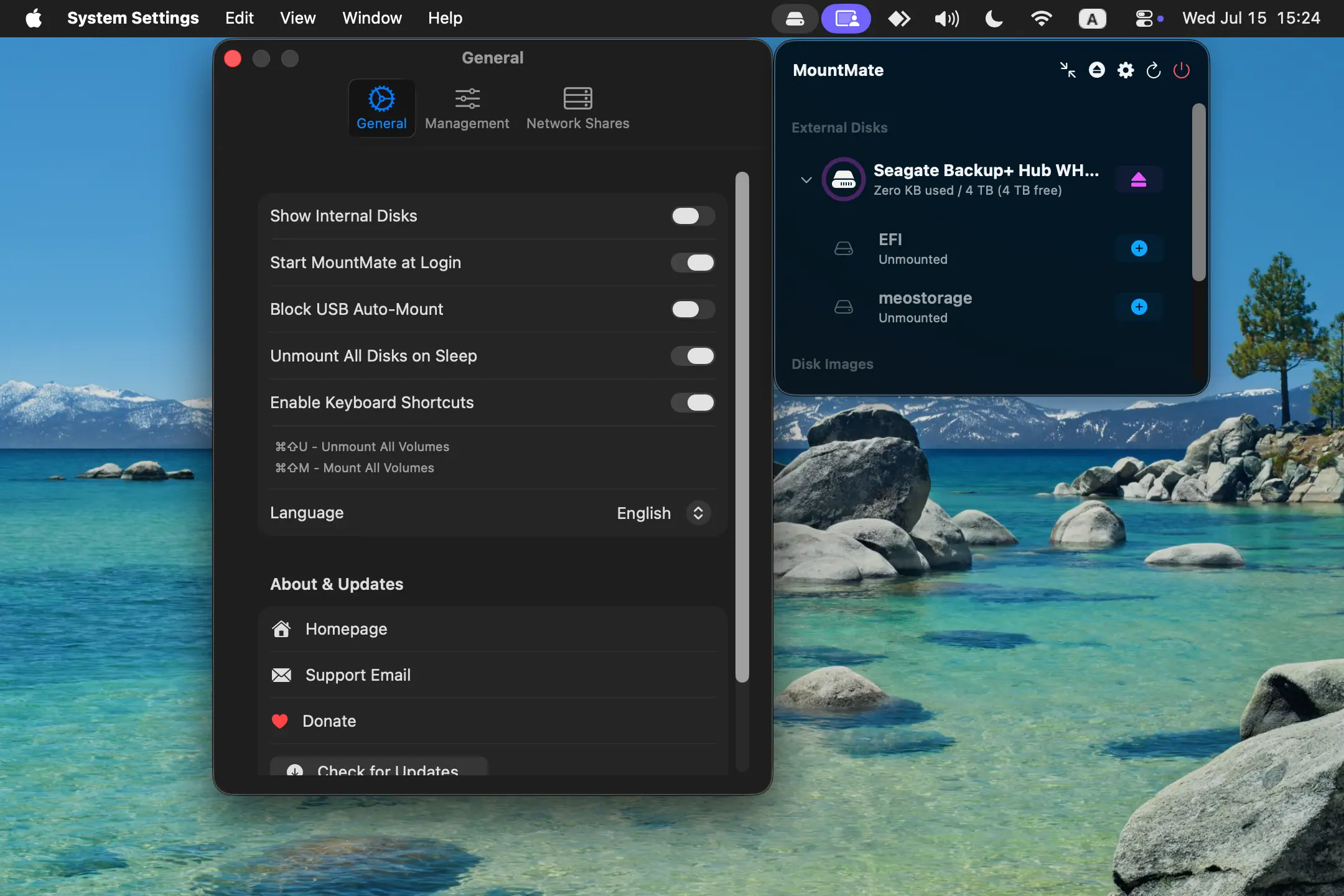
- Status Overview: View a list of all connected external drives and their current state (mounted or unmounted).
- Storage Info: Instantly see the available free space on each of your drives.
- Native Implementation: Built with native macOS APIs for optimal performance and energy efficiency.
- Private & Offline: MountMate operates entirely on your local machine.
Why Use MountMate?
- Control Drive Activity: Keep external HDDs quiet by keeping them unmounted until they are actually needed.
- System Efficiency: Prevent unnecessary system processes from waking up idle drives.
- Convenience: Manage storage devices without leaving your current application.
Screenshots
Installation
Manual Installation
- Download the latest `.dmg` release.
- Open the
.dmgfile. - Drag
MountMate.appinto the Applications folder. - Eject the installer disk image.
- Launch MountMate from your Applications folder.
First-Time Use on macOS
- If macOS warns you that MountMate is from an unidentified developer, go to:
System Settings β Privacy & Security β Open Anyway.
Feedback & Support
MountMate was created to solve a specific workflow issue, and I hope it is useful for others. If you have suggestions or encounter an issue, feel free to reach out.