
 View on the Mac App Store
Keep Rules and folders
Set a Keep Rule (best quality, newest, or oldest) and a Preferred Folder to pick which copies to keep. Exclude folders by name.

PhotoMate Clean
Scan folders or your Photos Library for duplicates, similar images, and low-quality photos. Processing stays on your Mac.
View on the Mac App StoreAvailable on the Mac App Store.
App preview
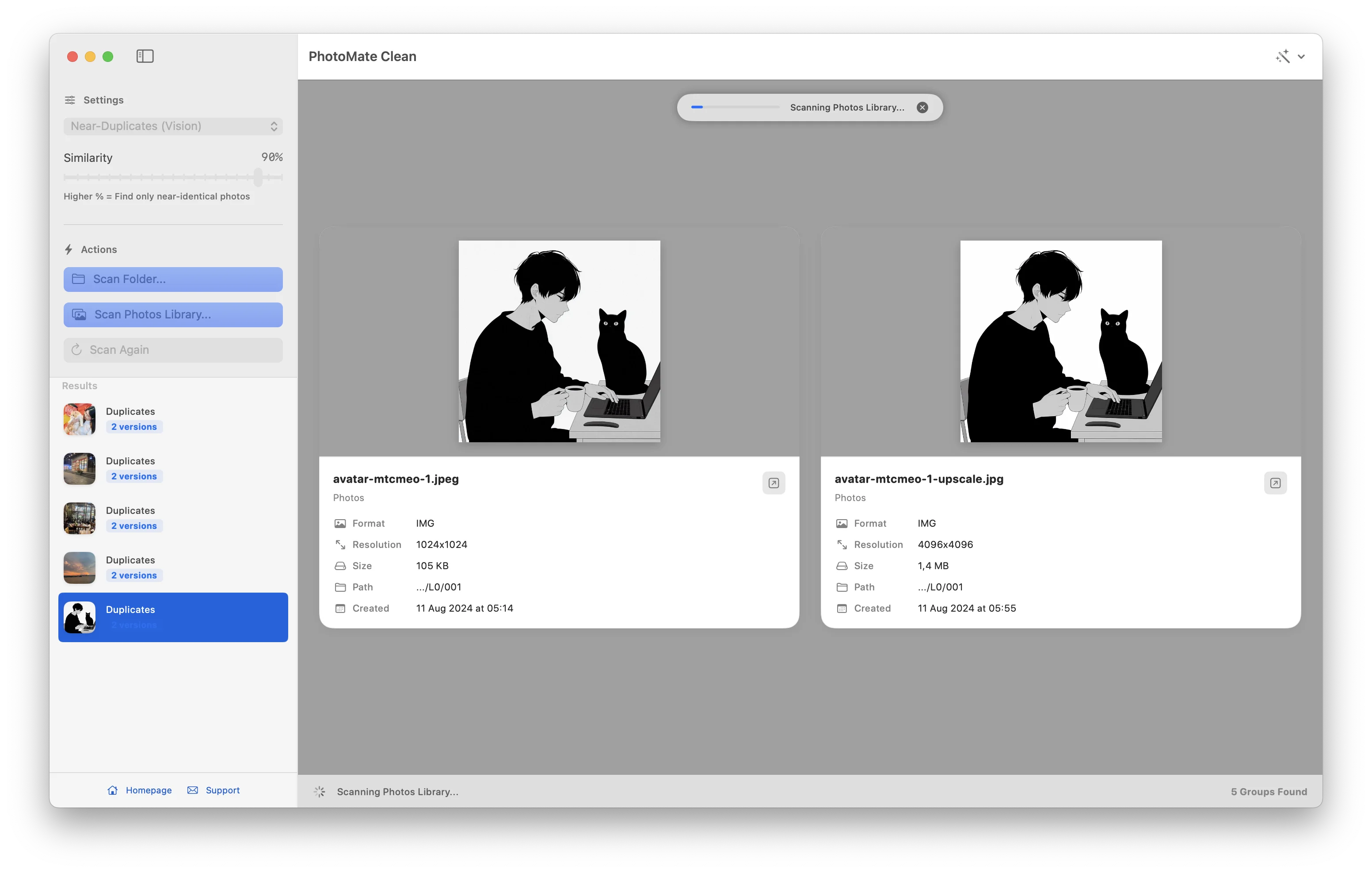
PhotoMate keeps cleanup reviewable from start to finish.
Select a folder or your Apple Photos Library.
Find exact duplicates, similar images, and weak shots locally.
Compare photos before deciding what to remove.
Set a Keep Rule (best quality, newest, or oldest) and a Preferred Folder to pick which copies to keep. Exclude folders by name.
See the exact disk space you can recover for each duplicate group and in total. Sort and filter groups by recoverable space.
Move between photos with arrow keys, press Space to toggle keep and remove, and press K to keep only the focused photo.
Preview any photo at full resolution with Quick Look (Y) and compare two copies side by side with synchronized zoom (C).
Undo selection changes with Command-Z. Restore deleted files from the Trash back to their original folders with one click.
Scan several folders or drives at once to find duplicates across them. Export full scan results as a CSV report for Numbers or Excel.
Mark intentional copies or burst shots as Not Duplicates to hide them from current results and future scans until new photos join.
Companion video files move to the Trash together with Live Photos. RAW and JPEG pairs count as a single photo in similar scans.
Low-quality scans measure actual sharpness to identify blur and flag small images by pixel dimensions rather than file size alone.
Privacy
Scanning and comparison happen on your Mac. PhotoMate does not upload your photo library for analysis.
There is no account, cloud processing, or background sync requirement.
Download PhotoMate Clean from the Mac App Store.
Small, native menu bar and desktop apps from the same maker.