Introducing react-recontext
English
A lightweight state management inspired by Flux, Redux, based on the latest React Context API.
Github: https://github.com/minhtc/react-recontext
SUPER simple and easy for building React and React Native applications with a Flux-style architecture.
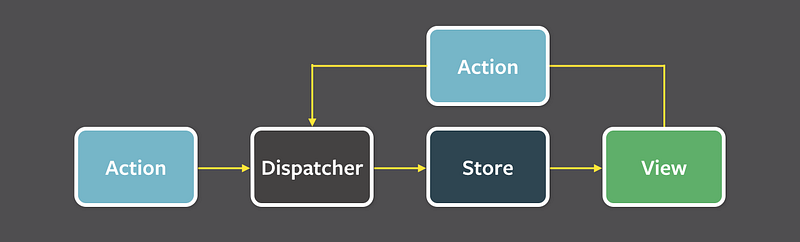
Following the Flux Architecture but with only one root Store:
Installation
npm install --save react-recontextor
yarn add react-recontextAPI
createStore(initialState, actionsCreators, enableLogger): creates the app's root Store! 😗<Provider />: wrap the root Component.connect(mapStateToProps)(Component): connect React Component to Store, very easy to get value from store in any components.dispatch(actionType, params): dispatch an event to update the Store value, from everywhere.
Important and funny part:
You don’t need to create action types manually anymore. They are generated automatically. For example:
- the actions creators:
const actionsCreators = {
  addTodoItem: (state, { item }) => ({
    list: state.list.push(item)
  })
}- change the action name from camel case into screaming snake case (
addTodoItem=>ADD_TODO_ITEM) then dispatch action.
dispatch('ADD_TODO_ITEM', { item: item })Example
There are some example apps you can play with:
Usage
Only 3 steps to get started with react-recontext:
- Create store.js
import createStore from 'react-recontext'// create app initial state
const initialState = {
todos: \[\]
};// create app actions, all action type would be generated automatically
const actionsCreators = {
toggleItem: (state, { todoId }) => ({
todos: state.todos.map((todo) =>
todo.id === todoId ? { ...todo, completed: !todo.completed } : todo
)
})
}// enable logger for debugging
const enableLogger = \_\_DEV\_\_// createStore required 3 params, and return a recontext store
const store = createStore(initialState, actionsCreators, enableLogger)// export store
export store- Wrap root component with Provider
- react:
import React from 'react'
import ReactDOM from 'react-dom'

import App from './App'
import { Provider } from './store'ReactDOM.render(
<Provider>
<App />
</Provider>,
document.getElementById('root')
)- react-native + react-nativation
import { createStackNavigator } from 'react-navigation'

import { Provider } from './store'
const AppNavigator = createStackNavigator(...)// wrap root component with <Provider /> that imported from recontext store
const App = () => (
<Provider>
<AppNavigator />
</Provider>
)- Connect component to get data and call action anywhere you want
import React from 'react'

import Todo from './Todo'
import { connect, dispatch } from './store'
const TodoList = ({ todos }) => (
<ul>
{todos.map((todo) => (
<Todo
key={todo.id}
todo={todo}
onClick={() => dispatch('TOGGLE\_ITEM', { todoId: todo.id })} // dispatch action type to update store value
/>
))}
</ul>
)const mapStateToProps = (state) => ({
todos: state.todos
})// connect component to get value from store
export default connect(mapStateToProps)(TodoList)Debugging
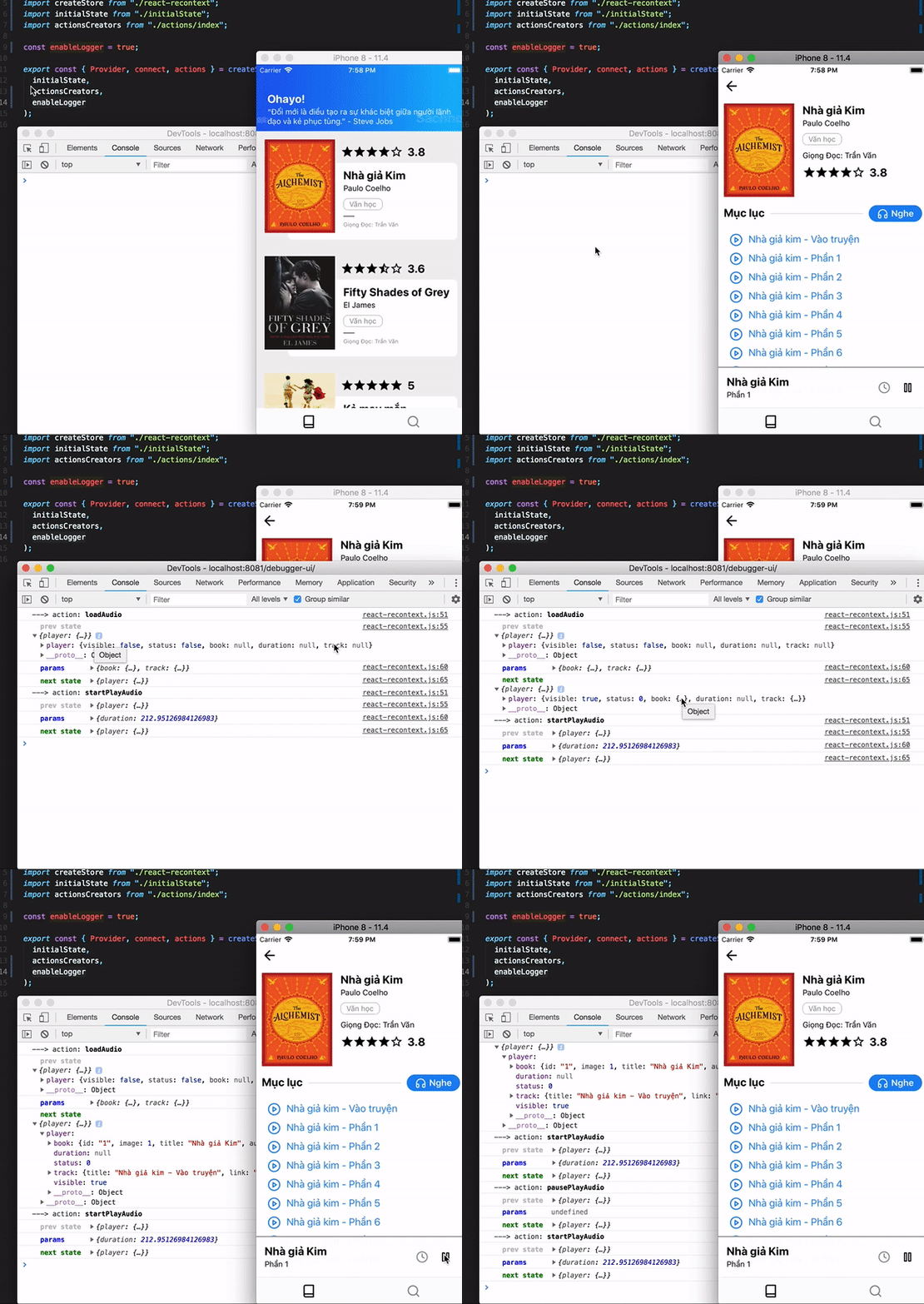
Supporting debugging by print all the store changes, example: