
UI/UX Lessons #4: Predicting User Intent and Showing the Right Thing
I recently came across an article claiming that iOS 14 accidentally exposed Zalo for "stealing data from the clipboard." The discussion quickly went viral.
Normally, that wouldn't be a big deal. But the article introduced the author as an "iOS software engineer," presumably to make the argument sound more authoritative.
The reality is far less dramatic.
Reading from-or even writing to-the system clipboard has been allowed by iOS for many years. Android has supported similar behavior for just as long, and desktop operating systems work the same way.
For everyday users this may sound surprising, but for mobile developers it's completely ordinary. Any application can read the clipboard without asking for permission, and until recently, without notifying the user. This behavior has long been permitted by platform APIs and does not, by itself, violate any app store policies.
Zalo is far from the only app that automatically checks the clipboard when it launches.
The reason is simple: copying and pasting on mobile devices isn't particularly convenient.
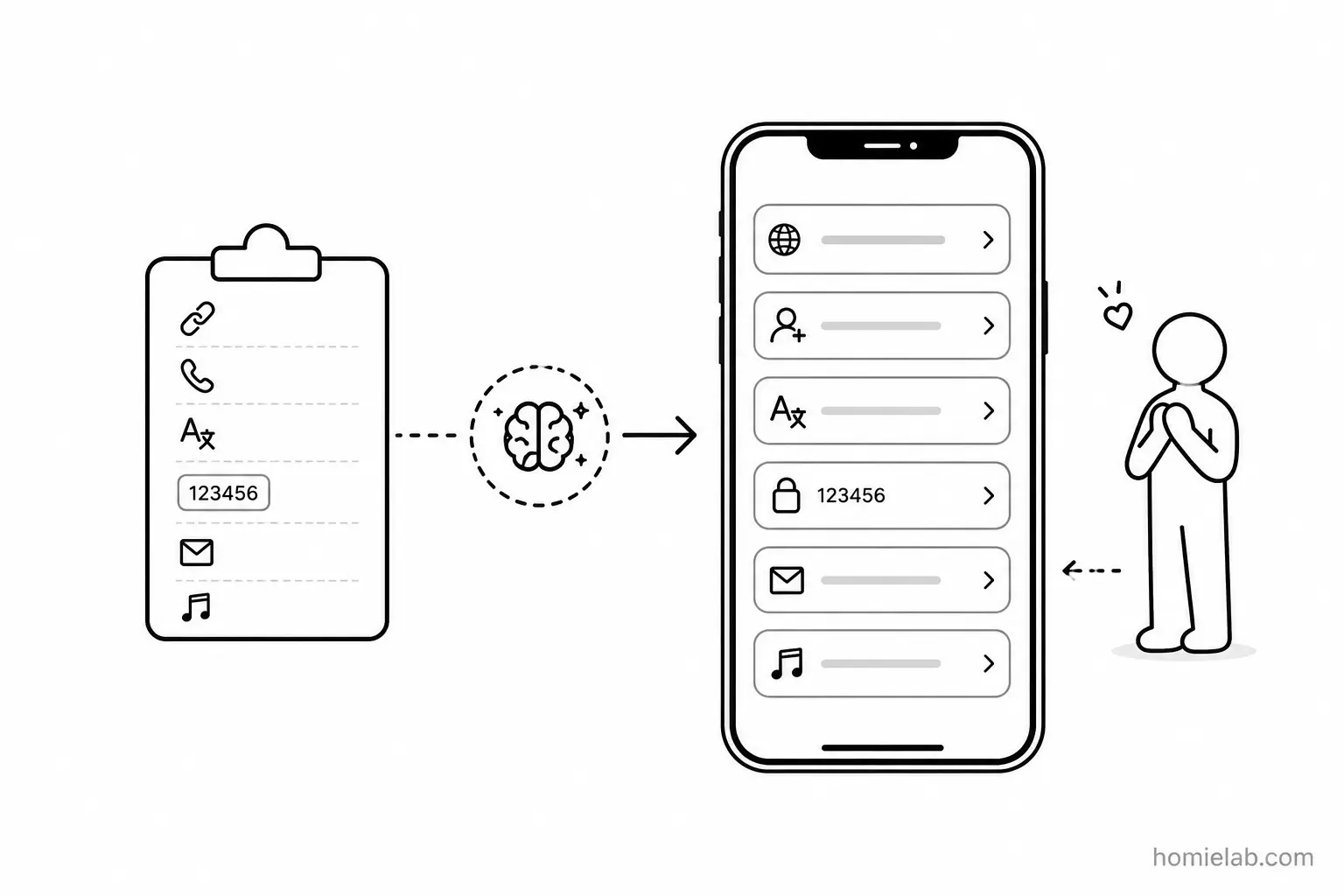
Automatically reading the clipboard can significantly improve the user experience. By looking at what you've just copied, an app can often predict what you're about to do and offer the appropriate action immediately.
For example:
- You copy a website URL and open Chrome. Instead of tapping the address bar, long-pressing, selecting Paste, and then pressing Go, Chrome can immediately suggest opening that link.
- You copy a phone number and open Zalo. The app can offer to add that number as a new contact instantly.
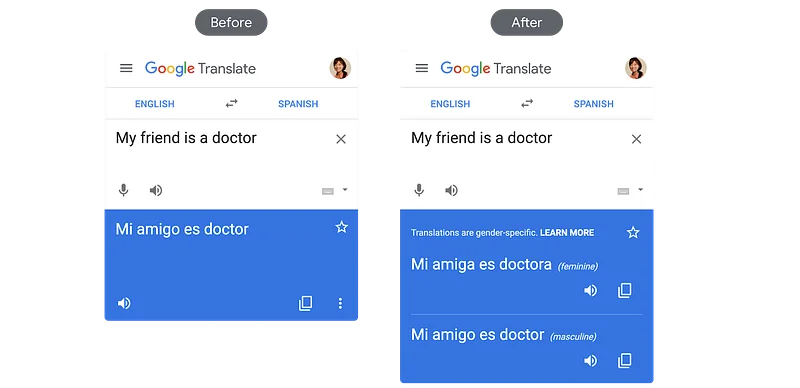
- You copy an English word and launch Google Translate. The translation is already waiting for you.
- You copy a six-digit verification code and open a login screen. The app automatically fills in the code.
- You copy an email address and open Gmail. It recognizes the address and asks whether you'd like to compose an email.
- You copy the name of an artist and open a music app. Instead of starting from a blank search page, the app immediately shows that artist's most popular songs.
There are countless creative use cases like these.
Most of them save several taps, reduce friction, and help users accomplish their goal much faster.
From my experience, these kinds of thoughtful interactions are usually found in products built by teams that genuinely care about user experience. They're tiny details that most people never consciously notice, yet they make an app feel remarkably intelligent.
After all, wouldn't it be nice if your software already knew what you were about to do?
Almost like a personal assistant saying,
"I know exactly what you need."
...and doing it before you even ask.
For those who aren't familiar
Android used to make clipboard access even easier.
Whenever you copied anything, any application running in the background could immediately read the clipboard without you ever opening it. There was no notification, so you had no idea which apps were accessing your copied content.
Android even provided an API that allowed apps to continuously monitor clipboard changes.
This only began to change with Android 10, which restricted clipboard access to apps that were currently in use or apps acting as input methods (such as keyboards), bringing its behavior closer to iOS.
Apple went one step further with iOS 14, introducing a notification whenever an app accesses the clipboard. This didn't prevent clipboard access-it simply made the behavior transparent to users.
Reading clipboard data itself is not against platform policies.
What matters is how that data is used.
If an application secretly uploads clipboard contents to its servers without properly disclosing that behavior in its privacy policy, that's a completely different issue and could violate both platform rules and user trust.
Do some apps collect more information than users realize?
Probably.
Many privacy policies already contain broad language about collecting user behavior to improve the product, personalize experiences, or perform analytics.
Whether that's acceptable depends on how transparent the company is and whether users are given meaningful choices.
Personally, I'd much rather see a simple switch that allows users to enable or disable clipboard-based suggestions.
That would make the feature both useful and trustworthy.
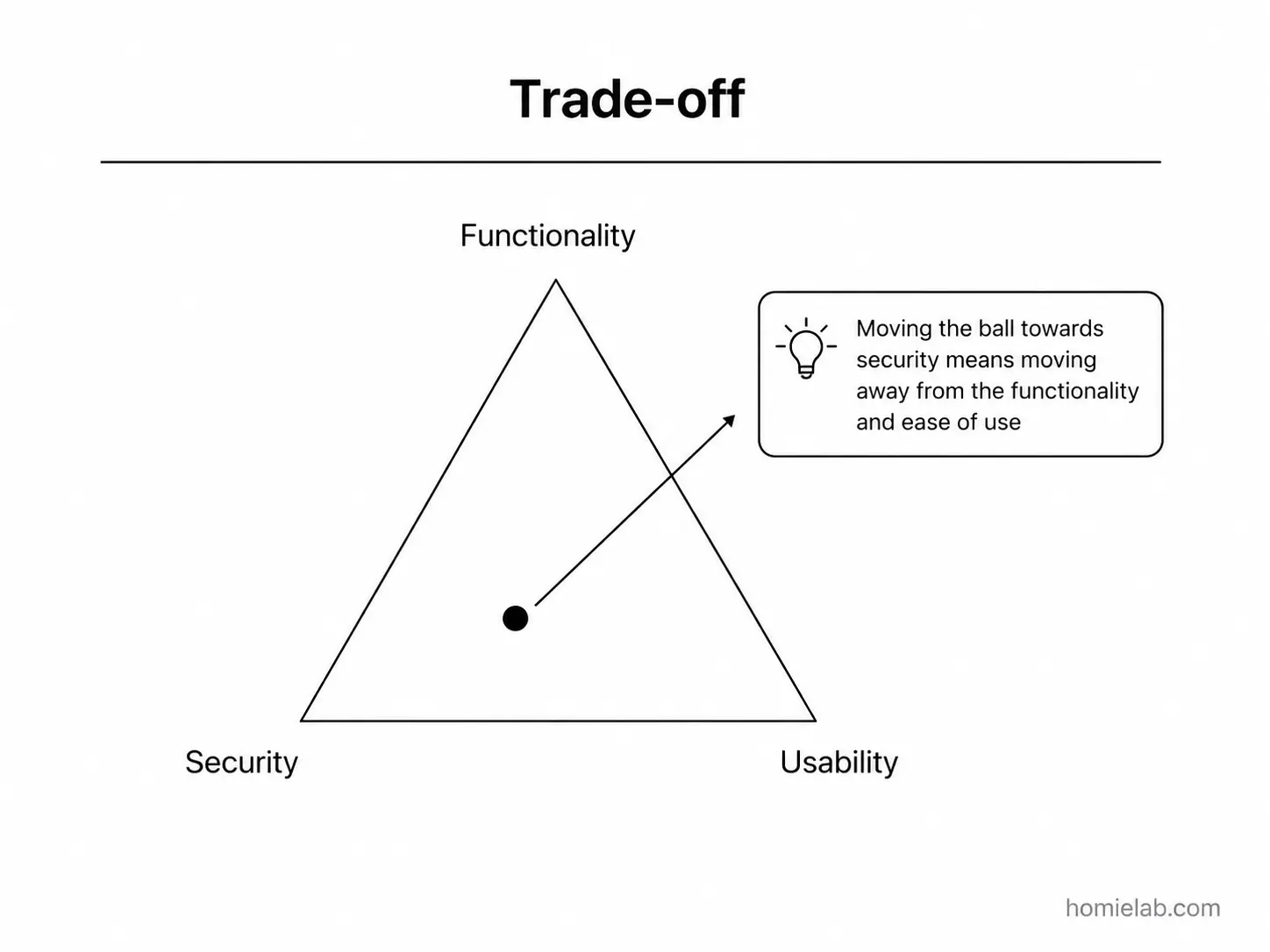
At the end of the day, convenience and privacy are always a trade-off.
The more information you allow apps to access, the smarter and more convenient they become.
The less you share, the more control and privacy you retain.
Finally, my recommendation is simple:
- Install only the apps you truly need.
- Avoid copying passwords, credit card numbers, or other sensitive information whenever possible.
- If privacy matters to you, modern versions of iOS-or Android 10 and later-offer much better protections than older systems.
Or, if you want maximum privacy...
Don't use a smartphone.
P.S. #1: Personally, I'm not a fan of Zalo. I rarely use it because I dislike how aggressively it asks for contacts and notification permissions. No means no.
P.S. #2: I always find it amusing when people post on Facebook warning others that FaceApp might collect their photos. Facebook has arguably collected far more user data over the years. If another company really wanted those photos, it would probably be easier to get them from Facebook than to build an app as polished as FaceApp in the first place.
Related posts
- UI/UX Lessons #3: Carousels in Product DesignWhen carousels help, when they hurt, and why users often ignore them despite designers loving them.
- UI/UX Lessons #2: Understanding Optimistic UIAn introduction to Optimistic UI-updating the interface before the server responds to make applications feel dramatically faster.
- UI/UX Lessons #1: Designing for Everyone Is Like Pleasing Every FamilyEveryday observations about product design, user expectations, and why creating interfaces for everyone is much harder than it seems.