
 Download on the Mac App Store
 View on GitHub
Timer in the menu bar
Show the time left, minutes only or just the icon. Right-click for Start, Skip and Reset.

TimeMate
Focus in sessions, take short and long breaks, and see the time left without opening another window.
Free on the Mac App Store. macOS 13.5 or later.
App preview
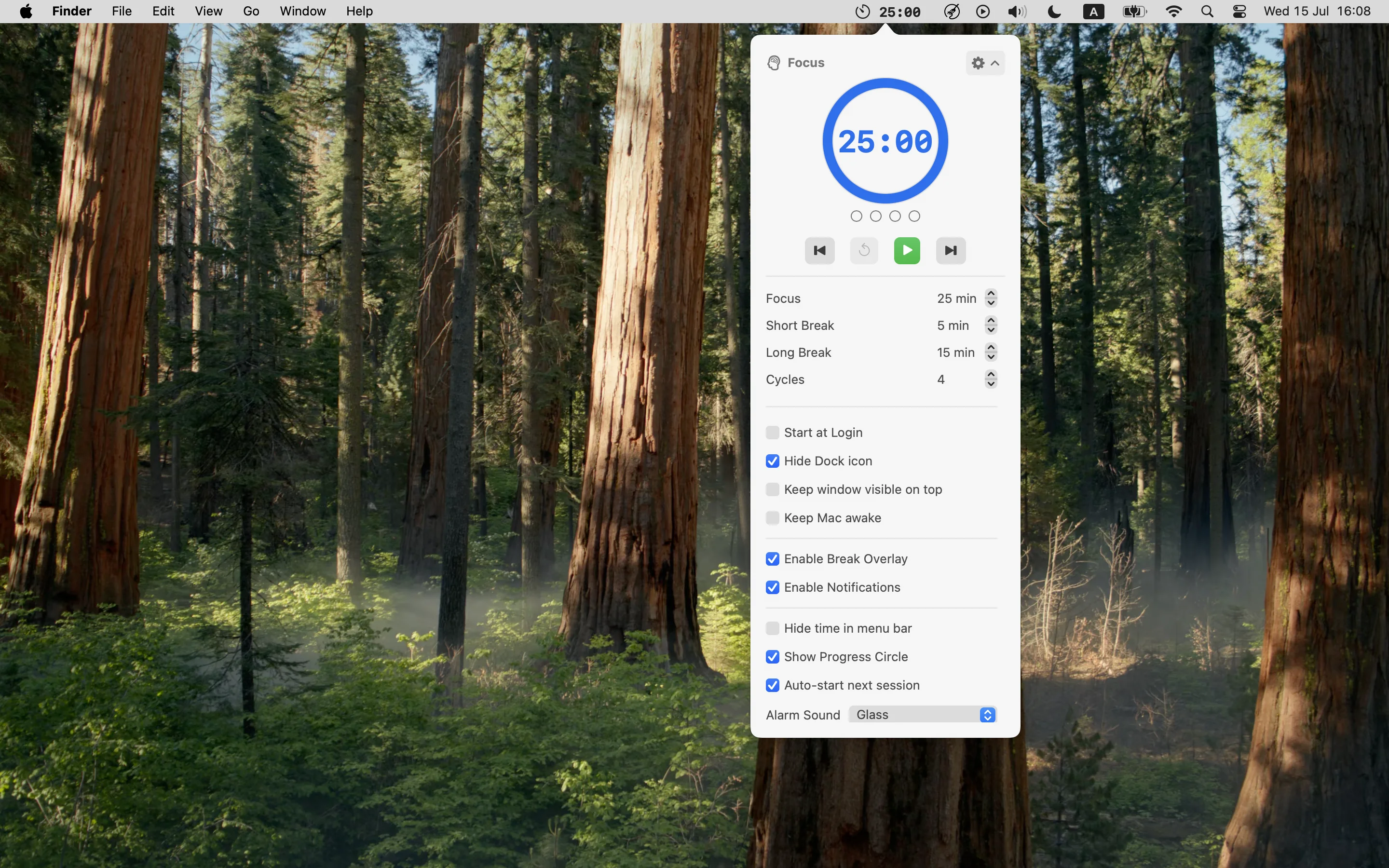
Show the time left, minutes only or just the icon. Right-click for Start, Skip and Reset.
Sessions from 1 to 180 minutes, and a long break after 2 to 8 focus sessions.
Pomodoros and focus minutes for today, the last week or the last year, with a goal, a streak and CSV export.
An optional full-screen break screen, with +5 min and Postpone. It waits while you are on a call.
Optionally pause focus when the Mac sleeps, the screen locks or you leave the desk, and resume when you are back.
Start, pause and skip from any app with a keyboard shortcut, or automate the timer with Shortcuts and Siri.
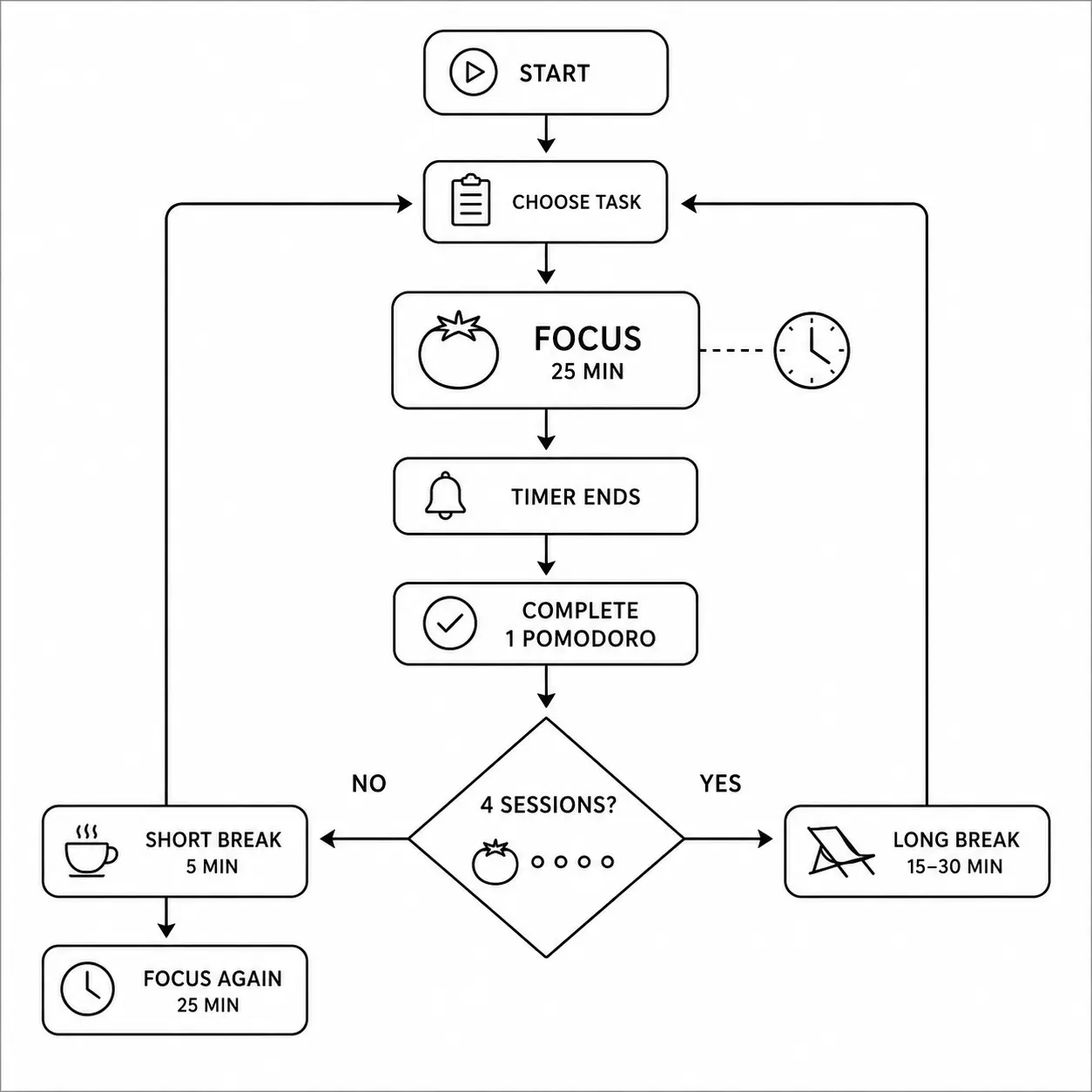
TimeMate follows the Pomodoro cycle. The defaults are the common 25, 5 and 15 minutes.
Work on one thing for 25 minutes.
Rest for 5 minutes, then focus again.
After 4 focus sessions, take 15 minutes off.
Privacy
There is no account and no sign-in. Your settings and session history are saved on your Mac only.
TimeMate is a native Mac app and the source code is public on GitHub.
Free on the Mac App Store. The source code is on GitHub.
Small, focused apps from the same maker.
 MountMateA native macOS menu bar app for mounting and unmounting external drives in one click.View app
 PhotoMateA private, local-first Mac app for discovering and cleaning duplicate and low-quality photos.View app
 MarkdownMateA lightweight, local-first Markdown note-taking and writing app for macOS and Ubuntu Linux.View app