 MeCam
Photo booth strips with friends
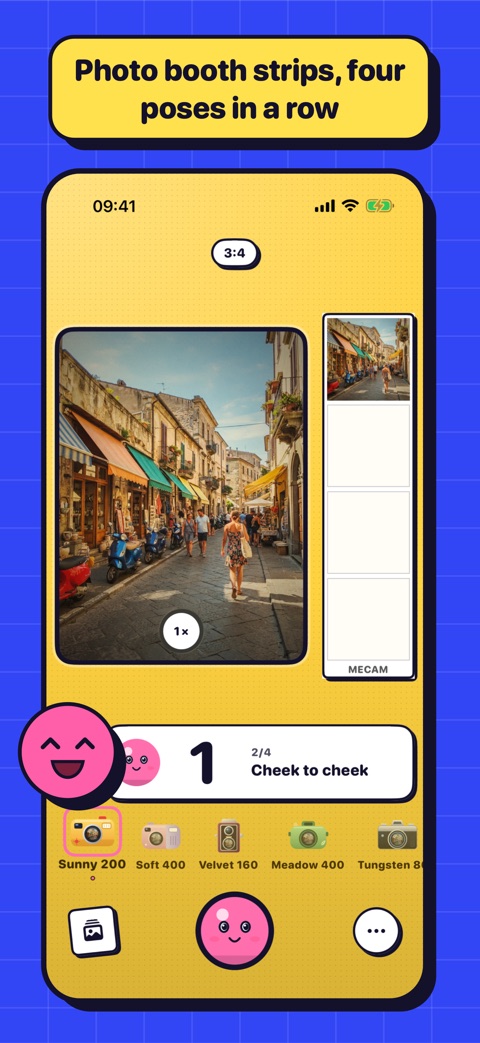
MeCam has a photo booth built in. Press the shutter once and Mimi counts down four shots, with a pose for each, then prints them as one strip with the date.
Start the booth
Open the menu and tap Booth. Pick Strip for four photos in a column, or 2×2 Grid for a square print. The booth starts on the front camera; switch to the back one before you start if a friend is shooting.
Pick a film first: the paper of the print takes the colour of the film's camera, so a Neon 500T night print looks different from a Sunny 200 beach print.
Poses
Before each shot Mimi counts 3, 2, 1 and shows a pose to try, like a wink, a peace sign or a close-up, drawn from more than thirty. No pose repeats in one print, so every strip is a little different.
Missed one? Right after a shot (not the last) you have a few seconds to retake it.
Tips for a good strip
Hold the iPhone at arm's length or lean it on something at eye level, with light on your faces rather than behind you. Leave room in the square for everyone, and change pose between shots: the fun is in the contrast.
Share it
The print is saved to Photos and to MeCam's gallery. Right after it lands, a Share button appears for a few seconds to send it to a chat or a story.
You can also say "Open the MeCam photo booth" to Siri, or add it to a shortcut, and land straight in the booth.